Streamlining Checkout and Order Fulfillment with Buy with Prime for eCommerce Stores
Nowadays, online shopping and Amazon have become almost synonymous for consumers. Especially with the addition of Amazon Prime, boasting that sweet two-day shipping, it seems as though online shoppers almost begin their search by first checking Amazon for product availability. For eCommerce stores looking to increase their consumer interest and grow their overall sales, it’s important to consider how Amazon might work in the best interest of your company. Especially with the option of Amazon’s Buy with Prime option, Amazon’s widespread popularity can potentially work in your favor rather than competitively against it.
In this article, we’ll explore what Amazon Buy with Prime is, what its benefits are the benefits, as well as how to set up Buy with Prime for your own online space.
What is Amazon Buy with Prime?
Buy with Prime allows businesses to grow their online storefront by enabling customers to access the fast, free, and seamless checkout experience Amazon Prime members know and love. This means Buy with Prime is no longer limited to Amazon’s storefront alone. Prime benefits are top-of-the-line and now, these benefits can extend to a wider variety of sites improving customer experience and helping merchants accelerate their business.
According to internal Amazon Data, Amazon’s Buy with Prime increases shopper conversion by 25% on average.
How Does Buy with Prime Work?
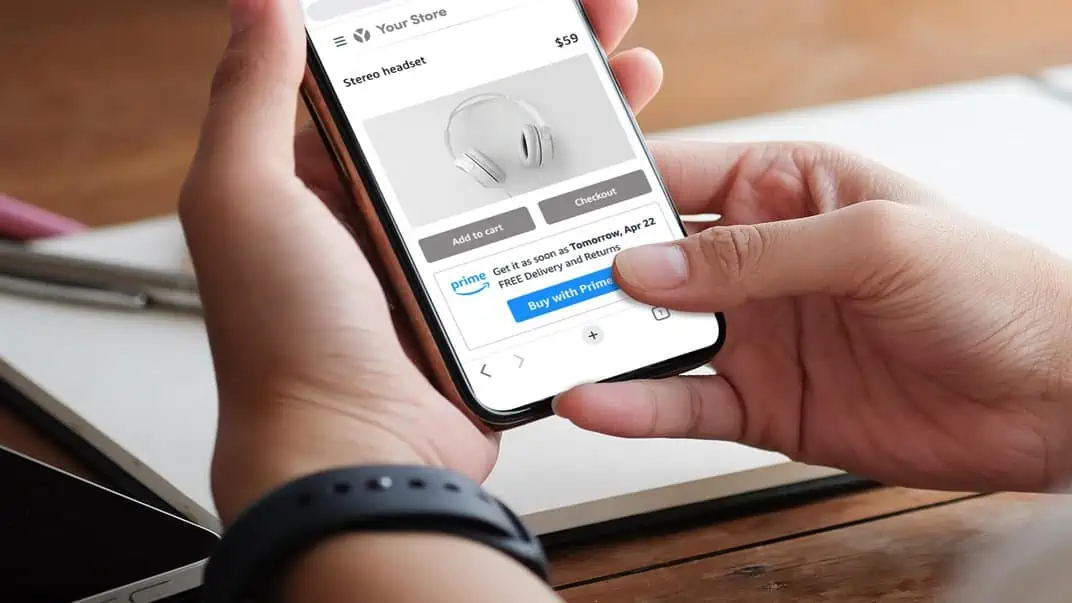
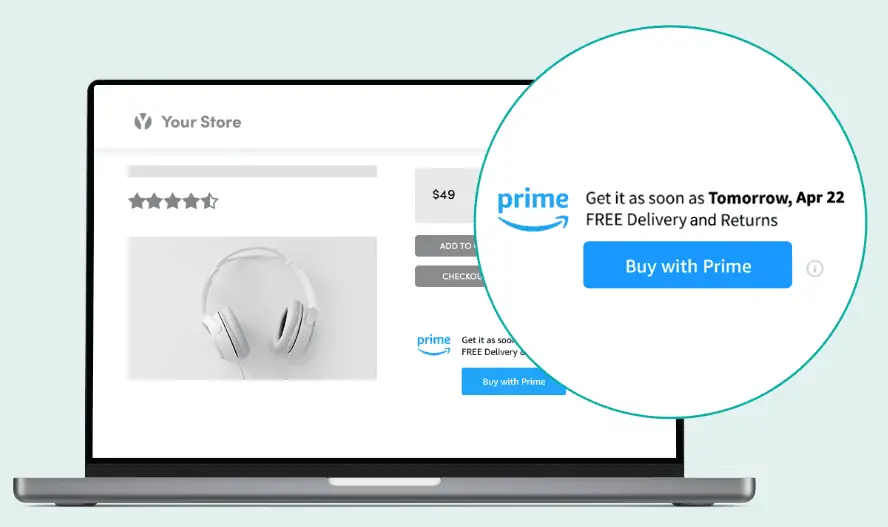
If you choose to add Buy With Prime to your storefront, when a user is viewing a product on your DTC site, they will now see a ‘Buy with Prime’ logo and an option to Buy With Prime (along with existing checkout options).
Once the Buy With Prime button is clicked, the user will be prompted to log in to their Amazon account, and from there, the checkout menu automatically populates all of the customers’ preferred payment and shipping information from their Amazon account. Buy with Prime makes the shopping experience seamless for both consumers and merchants.
**“Amazon’s Buy With Prime program extends the beloved Amazon Prime shipping experience and world-class convenience to brand sites across the web. This means Amazon shoppers can now relish the same level of service they adore on Amazon, conveniently available across their preferred brand stores.”
**– Amandeep Singh, Director at Cronix
Benefits of Buy With Prime
There are many benefits of Buy with Prime. One of the most attractive elements of Buy with Prime is that merchants can effectively double their exposure across their own websites and through Amazon itself.
Sales growth is highly driven by exposure, but it’s equally determined by convenience. Prime was designed to attract online shoppers, and with Buy with Prime, eCommerce stores can get the best of both worlds. Here are some of the attractive features of Amazon Buy with Prime!
- Offer Prime Shipping From Your own store
- No Up-Front Costs
- Building Stronger Relationships with Users
- Giving Customers a Familiar Shopping Experience
- Fulfillment Made Easy
Limitations to Consider When Implementing “Buy with Prime”
When integrating “Buy with Prime” into your platform, it’s essential to acknowledge several limitations that currently affect the feature’s functionality:
- Individual Product Purchase Limit: At present, the system allows for the purchase of only a single “Buy with Prime” product per order. While there are plans to support checkout for mixed carts in future releases, this feature is not currently available.
- Handling Products with Variations: Enabling “Buy with Prime” for products with variations poses a constraint. To utilize this feature, all variations must either have “Buy with Prime” enabled or none at all. Selectively enabling specific product variants for “Buy with Prime” isn’t an available option at this time.
- Order Visibility and Access: One of the limitations includes the non-display of “Buy with Prime” orders within the default platform order section. To access and manage these orders, users must navigate to the app’s Orders section and choose View Buy with Prime orders. This section offers access to “Buy with Prime” order details and provides a direct link to your Amazon merchant console for further management.
Understanding the “Buy with Prime” Fees
- Prime Service Fee per Order: In addition to fulfillment and storage expenses, there is a Prime service fee associated with each order. This fee amounts to 3% per order with a minimum charge of $1.5 per order. This fee structure is an essential component to consider in the overall cost assessment when utilizing the “Buy with Prime” feature.
- Fulfillment Estimates: Fulfillment estimates encompass rates applicable from January 15, 2023, through October 14, 2023. Following this period, from October 15, 2023, to January 14, 2024, the Holiday peak fulfillment rates will be in effect. For detailed insights into the rates, please refer to the fulfillment pricing page.
- Storage Estimates: Storage estimates are based on rates from January through September, starting at $0.83 per cubic foot per month. From October through December, the rates begin at $2.4 per cubic foot. The assumption is based on an average of 10 units stored per day. For further information, you can refer to the detailed rate card.
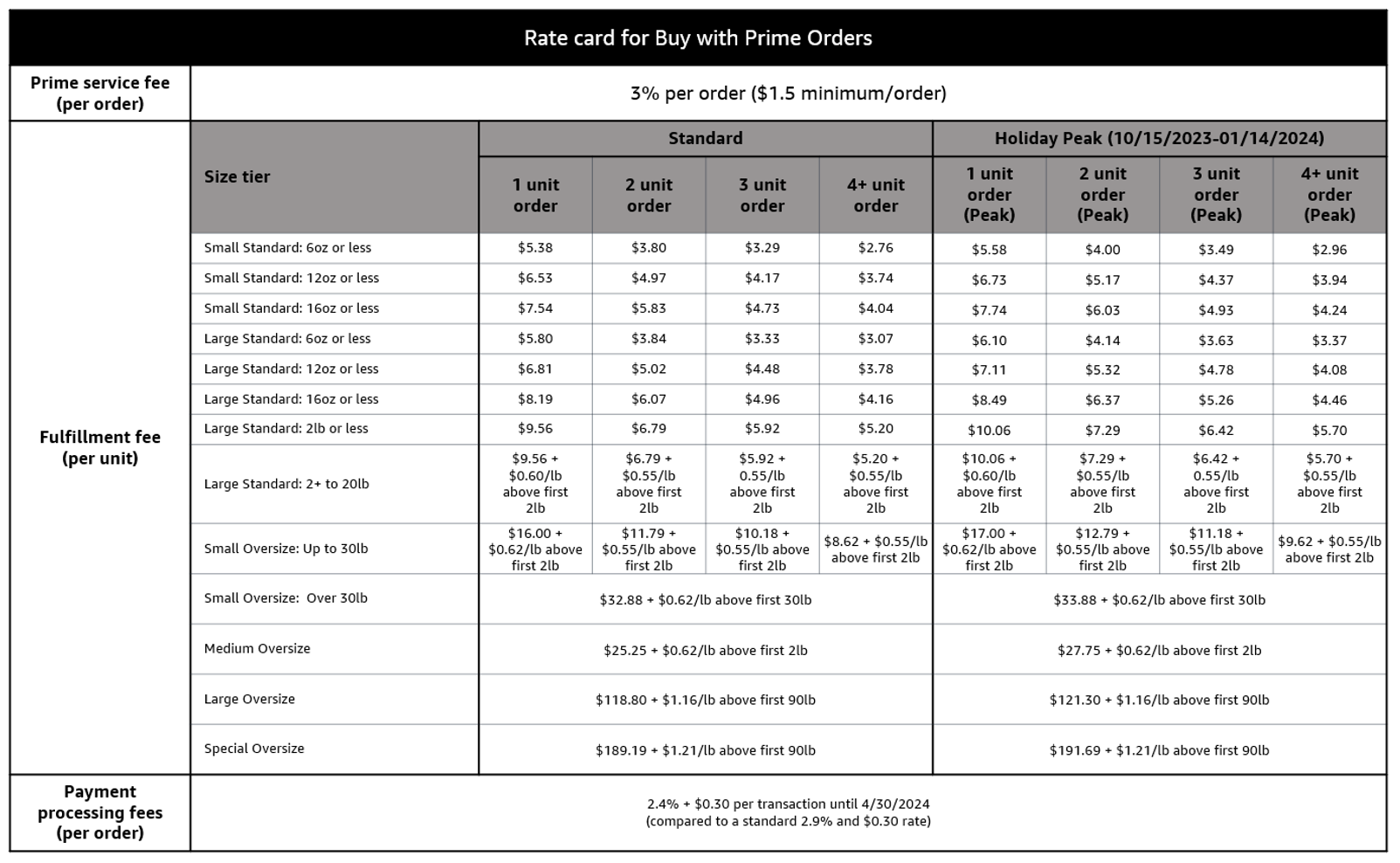
Source – Amazon
How to Add a “Buy with Prime” Button to Your Website
According to Amazon, Buy With Prime is no longer invitation-only. “We’ve been working closely with merchants since launching Buy with Prime, and we’re thrilled to hear that the program has helped drive such impressive results so far. We’ll continue innovating and investing in new features and tools to help merchants of all sizes succeed—and give Prime members the shopping benefits they love, whether it’s on Amazon or beyond.” – Amazon.
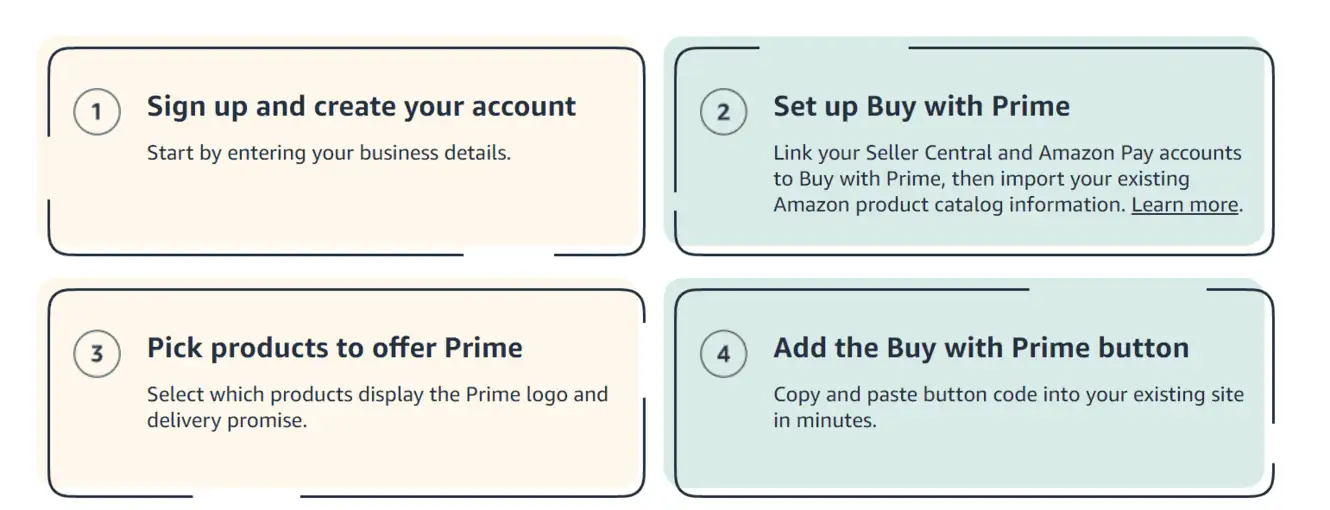
FBA merchants can add Buy with Prime to their website in just a few clicks. You can confirm if you are eligible here. Check out the four-step process below.
- Step 1: Sign up and Create an Account
- Step 2: Set up Buy With Prime
- Step 3: Designate Products
- Step 4: Add Buy with Prime Button
Source – Amazon
BigCommerce integration with Buy with Prime
BigCommerce announced the Buy with Prime app for BigCommerce. This new self-service integration will help BigCommerce merchants easily enable Buy with Prime on their storefronts—no coding required.
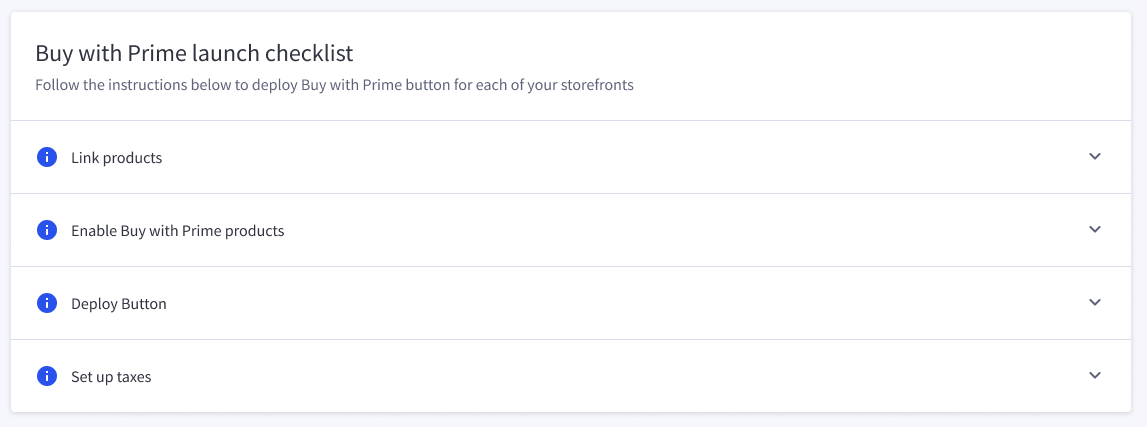
Hot tip: Ensure you have registered for Amazon Pay to ensure a frictionless checkout experience for buyers.
Buy with Prime is designed to work with most e-commerce providers. And when it comes to cost, Amazon noted, “Using Buy with Prime, merchants simply pay for what they use. Pricing is based on a service fee, a payment processing fee, and fulfillment and storage fees that are calculated per unit. With no fixed subscription fee or long-term contract required, merchants can expand selection or cancel at any time” (Source). If you have questions or need assistance with building, designing, and growing your eCommerce store, feel free to contact our team. We’re here to help you succeed!